> ## Documentation Index
> Fetch the complete documentation index at: https://docs.ekho.com/llms.txt
> Use this file to discover all available pages before exploring further.
# How it works
> What happens between a buyer's first message and a booked appointment.
Someone opens chat on your website or texts your dealership number. The agent replies in seconds, at any hour.
The agent searches your live inventory and your [knowledge documents](/sales-agent/knowledge/overview) to answer. It knows which page the buyer is looking at, so "what's the price on this one?" just works.
Once it has answered the first question, the agent asks for contact details. A lead is created as soon as the buyer shares their information and gives consent. If they decline, the agent keeps helping and asks again later.
The agent works out timeline, budget, trade-in, and financing readiness, then offers open appointment slots and books directly onto your calendar.
The conversation, the buyer's answers, and the appointment are all in your [inbox](/sales-agent/conversations/inbox) and your [CRM](/sales-agent/crm/overview). Your rep closes instead of re-qualifying.
## It only sells what you can actually deliver
This is the part dealers care about most. The agent is grounded in your live inventory on every single reply.
It only references units whose assignment status is **Available**, meaning the unit is physically on hand, is not locked to an order already in progress, and has not sold. A buyer could purchase it today.
That has two useful consequences:
* A unit still in **Draft** but sitting on your lot is fair game.
* A unit marked **Published** but already locked to another order is not.
If you do not stock a brand or category, the agent will not claim you do, even if older copy on your website says otherwise. Buyers asking about something you are out of get guided toward what you actually have.
No setup required. Inventory grounding is on for every conversation, and the agent re-checks on every turn, so it updates the moment a unit sells or arrives.
## It understands how people actually talk
The agent searches by meaning, not just keywords, so buyers do not have to know your model names.
| A buyer types | They get |
| ------------------------------------ | ---------------------------------------------------------- |
| "beginner sport bike" | Entry-level sport models, even though no listing says that |
| "something for commuting under \$8k" | Affordable, fuel-efficient units |
| "ninja" | Kawasaki Ninja listings, no full model name needed |
| "nnja 400" | The same results, typo and all |
| "the green kawasaki" | Kawasaki units available in green |
Results come back as cards in the chat with a photo, price, condition, and distance from the buyer.
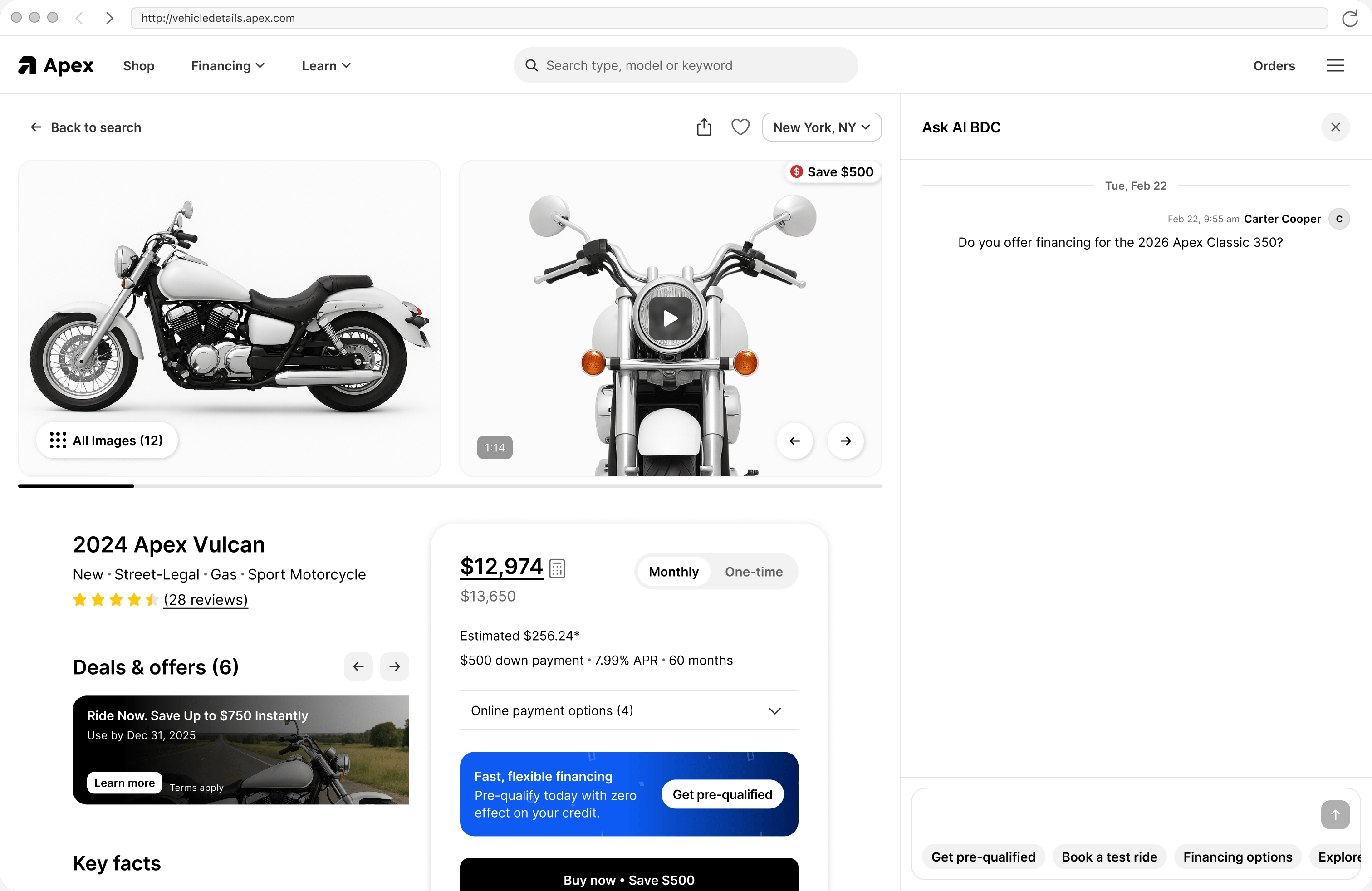 If a buyer clicks a card and lands on the listing page, the conversation follows them and reopens where they left off.