> ## Documentation Index
> Fetch the complete documentation index at: https://docs.ekho.com/llms.txt
> Use this file to discover all available pages before exploring further.
# Pre-qualification
> A soft-pull rate estimate inside the conversation, with no credit impact.
The buyer gets a real financing picture without leaving the chat and without touching their credit score.
 ## How it runs per channel
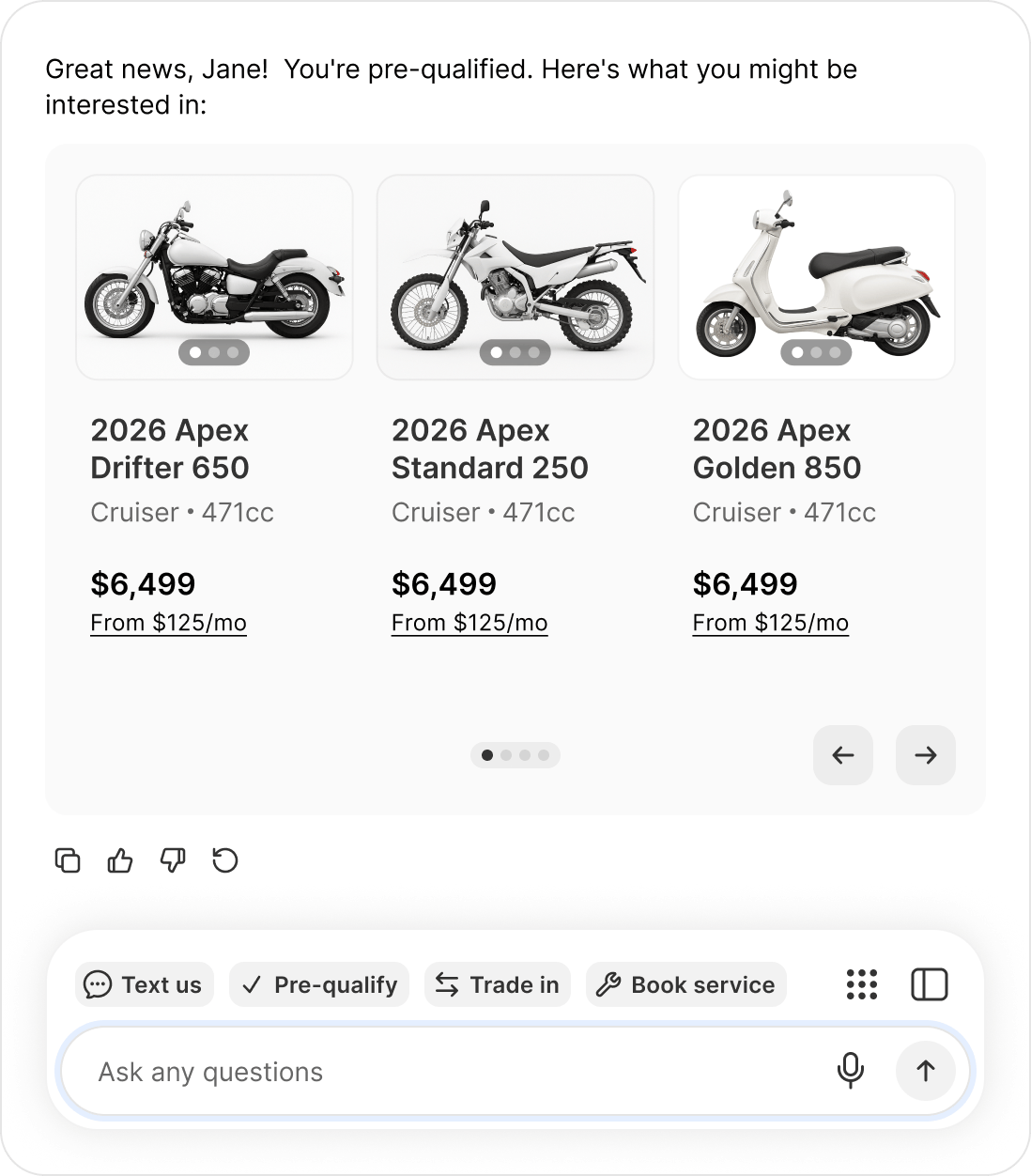
**Website chat** — the flow opens inside the chat window.
**Text message** — the agent sends the link straight in the message body, for example *"Get pre-qualified: [https://your-dealership.example.com/](https://your-dealership.example.com/)..."*. No "reply YES" step. It is your own branded checkout URL.
On text, if no checkout URL is configured for your dealership, the agent invites the buyer to contact you rather than sending a broken link. Make sure your checkout URL is set.
## What the agent does with the result
The agent adapts and, importantly, never uses discouraging language.
**Approved** — it congratulates the buyer and points at the most useful next step, based on what your dealership has enabled:
* Online checkout enabled → encourages completing the purchase online
* Appointment booking enabled → suggests booking time with a rep
* Neither → tells them a team member will help them move forward
**More information needed** — the tone stays positive. The agent **never says "denied" or "rejected."** If booking is enabled it suggests time with a financing specialist; otherwise it explains a team member can walk through options.
No configuration needed. The agent works out the right next step from the capabilities your dealership has turned on.
## The lead arrives with context
When a buyer submits pre-qualification from website chat, **the vehicle they were last shown is attached to the lead as the vehicle of interest**. Pre-qual leads from the agent land in your Admin Portal with the right vehicle already populated, so nobody has to reconstruct what the buyer was looking at.
## How it runs per channel
**Website chat** — the flow opens inside the chat window.
**Text message** — the agent sends the link straight in the message body, for example *"Get pre-qualified: [https://your-dealership.example.com/](https://your-dealership.example.com/)..."*. No "reply YES" step. It is your own branded checkout URL.
On text, if no checkout URL is configured for your dealership, the agent invites the buyer to contact you rather than sending a broken link. Make sure your checkout URL is set.
## What the agent does with the result
The agent adapts and, importantly, never uses discouraging language.
**Approved** — it congratulates the buyer and points at the most useful next step, based on what your dealership has enabled:
* Online checkout enabled → encourages completing the purchase online
* Appointment booking enabled → suggests booking time with a rep
* Neither → tells them a team member will help them move forward
**More information needed** — the tone stays positive. The agent **never says "denied" or "rejected."** If booking is enabled it suggests time with a financing specialist; otherwise it explains a team member can walk through options.
No configuration needed. The agent works out the right next step from the capabilities your dealership has turned on.
## The lead arrives with context
When a buyer submits pre-qualification from website chat, **the vehicle they were last shown is attached to the lead as the vehicle of interest**. Pre-qual leads from the agent land in your Admin Portal with the right vehicle already populated, so nobody has to reconstruct what the buyer was looking at.