> ## Documentation Index
> Fetch the complete documentation index at: https://docs.ekho.com/llms.txt
> Use this file to discover all available pages before exploring further.
# Reservations and deposits
> Hold a unit with a compliant, fully refundable deposit.
When a buyer is ready to commit but not ready to complete a full purchase, the agent can take a deposit and hold the unit.
 ## What the buyer sees
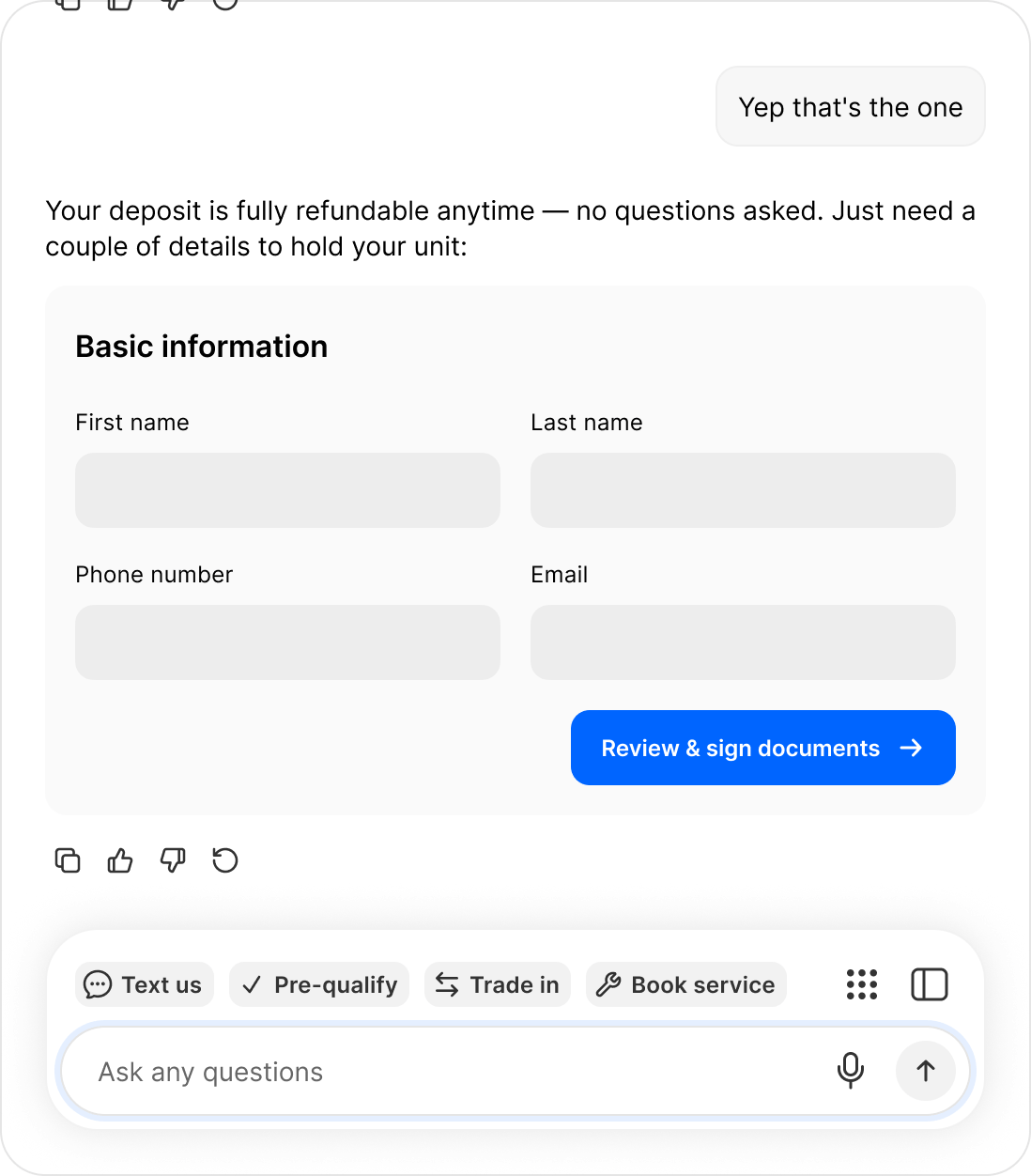
The agent states the terms before asking for anything: **the deposit is fully refundable at any time, no questions asked.** Then it collects first name, last name, phone number, and email, and moves the buyer to review and sign.
## Why this is more than a payment link
The paperwork is the point. A reservation produces a compliant, signed record of what the buyer agreed to, which is what makes it safe to take money from someone you have never met. Anyone can put a payment form in a chat window; the compliance work behind it is the difference.
## Converting to a sale
A reservation is a starting point, not the end. Once your team has spoken to the buyer, the reservation converts into a full order without the buyer re-entering anything.
Reservations appear under **Preorders** in your Admin Portal, where you manage and convert them.
Preorder is an add-on building block rather than part of the base Sales Agent package. Talk to your account manager if you do not see it.
## What the buyer sees
The agent states the terms before asking for anything: **the deposit is fully refundable at any time, no questions asked.** Then it collects first name, last name, phone number, and email, and moves the buyer to review and sign.
## Why this is more than a payment link
The paperwork is the point. A reservation produces a compliant, signed record of what the buyer agreed to, which is what makes it safe to take money from someone you have never met. Anyone can put a payment form in a chat window; the compliance work behind it is the difference.
## Converting to a sale
A reservation is a starting point, not the end. Once your team has spoken to the buyer, the reservation converts into a full order without the buyer re-entering anything.
Reservations appear under **Preorders** in your Admin Portal, where you manage and convert them.
Preorder is an add-on building block rather than part of the base Sales Agent package. Talk to your account manager if you do not see it.