> ## Documentation Index
> Fetch the complete documentation index at: https://docs.ekho.com/llms.txt
> Use this file to discover all available pages before exploring further.
# How it works
> The four stages between a buyer choosing a vehicle and you getting paid.
They pick a vehicle, add accessories and protection, enter their details, verify their identity with a selfie and government ID, and choose delivery or pickup at your store.
They apply for financing across multiple lenders, compare real offers, add protection products, and pay. All in one flow, without leaving to fill in a separate credit application.
Ekho generates the state-specific contracts, collects signatures in whatever form that state requires, and handles titling, registration, and taxes.
You prep the vehicle and deliver it or hand it over. Ekho pays out to your bank account. No manual paperwork, no DMV run.
## What your team actually does
Most of the sale runs itself. Your team's work shows up as **action items** on the order: countersigning documents, adding a temp tag, confirming an odometer reading.
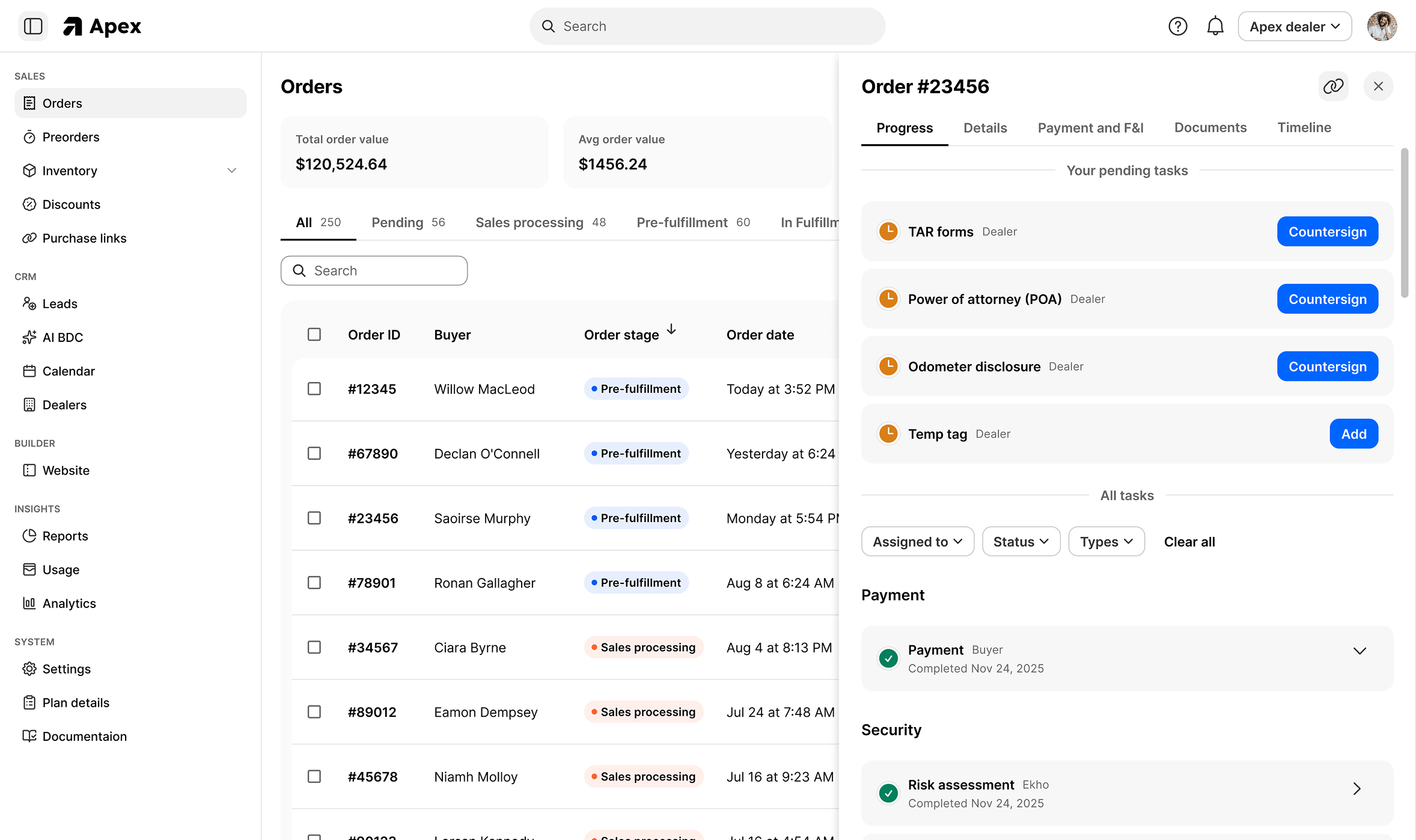 See [action items](/transaction-engine/orders/action-items) for the full list and what each one means.
## Where the buyer is during all this
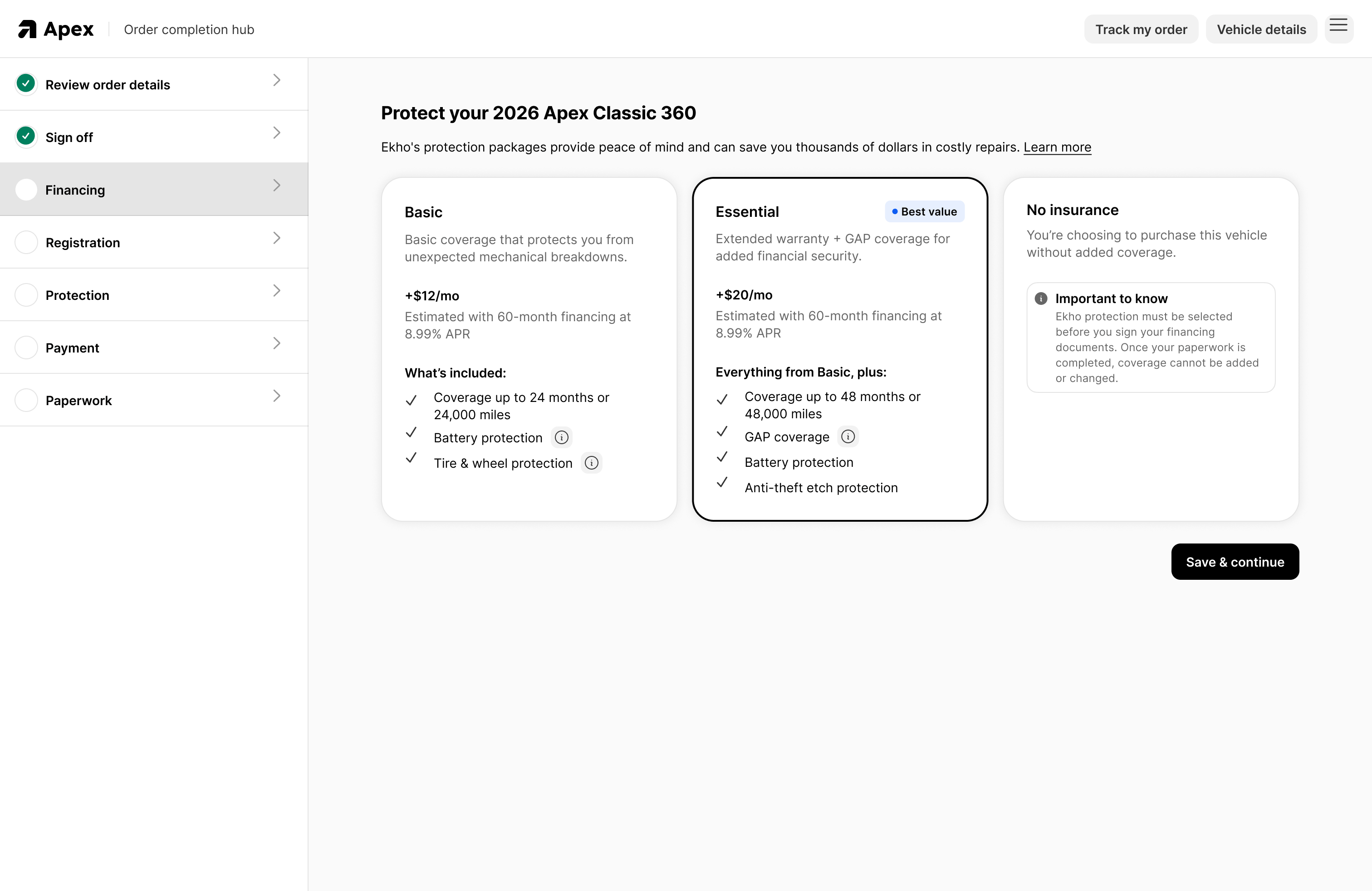
After checkout, the buyer moves into the **buyer portal**, which walks them through their remaining steps: signing off, financing, registration details, protection, payment, and paperwork.
See [action items](/transaction-engine/orders/action-items) for the full list and what each one means.
## Where the buyer is during all this
After checkout, the buyer moves into the **buyer portal**, which walks them through their remaining steps: signing off, financing, registration details, protection, payment, and paperwork.
 ## The parts that are easy to underestimate
**Promotion targeting is a rule, not a list.** A promotion you write today automatically applies to qualifying units you take in next month, because eligibility is evaluated when the buyer looks, not when you created it.
**Fraud scoring is a real capability**, not a checkbox. Device orientation, typing patterns, IP, and physical address are among more than a thousand signals scored by machine-learning models, with a manual verification workflow when a deal crosses a risk threshold.
**You keep your F\&I providers.** Ekho improves how the menu is presented and packaged. Your providers, your margin.
## The parts that are easy to underestimate
**Promotion targeting is a rule, not a list.** A promotion you write today automatically applies to qualifying units you take in next month, because eligibility is evaluated when the buyer looks, not when you created it.
**Fraud scoring is a real capability**, not a checkbox. Device orientation, typing patterns, IP, and physical address are among more than a thousand signals scored by machine-learning models, with a manual verification workflow when a deal crosses a risk threshold.
**You keep your F\&I providers.** Ekho improves how the menu is presented and packaged. Your providers, your margin.