

1. Choosing and configuring
The buyer finds a vehicle on your site, picks colour and trim, and adds parts, accessories, and gear.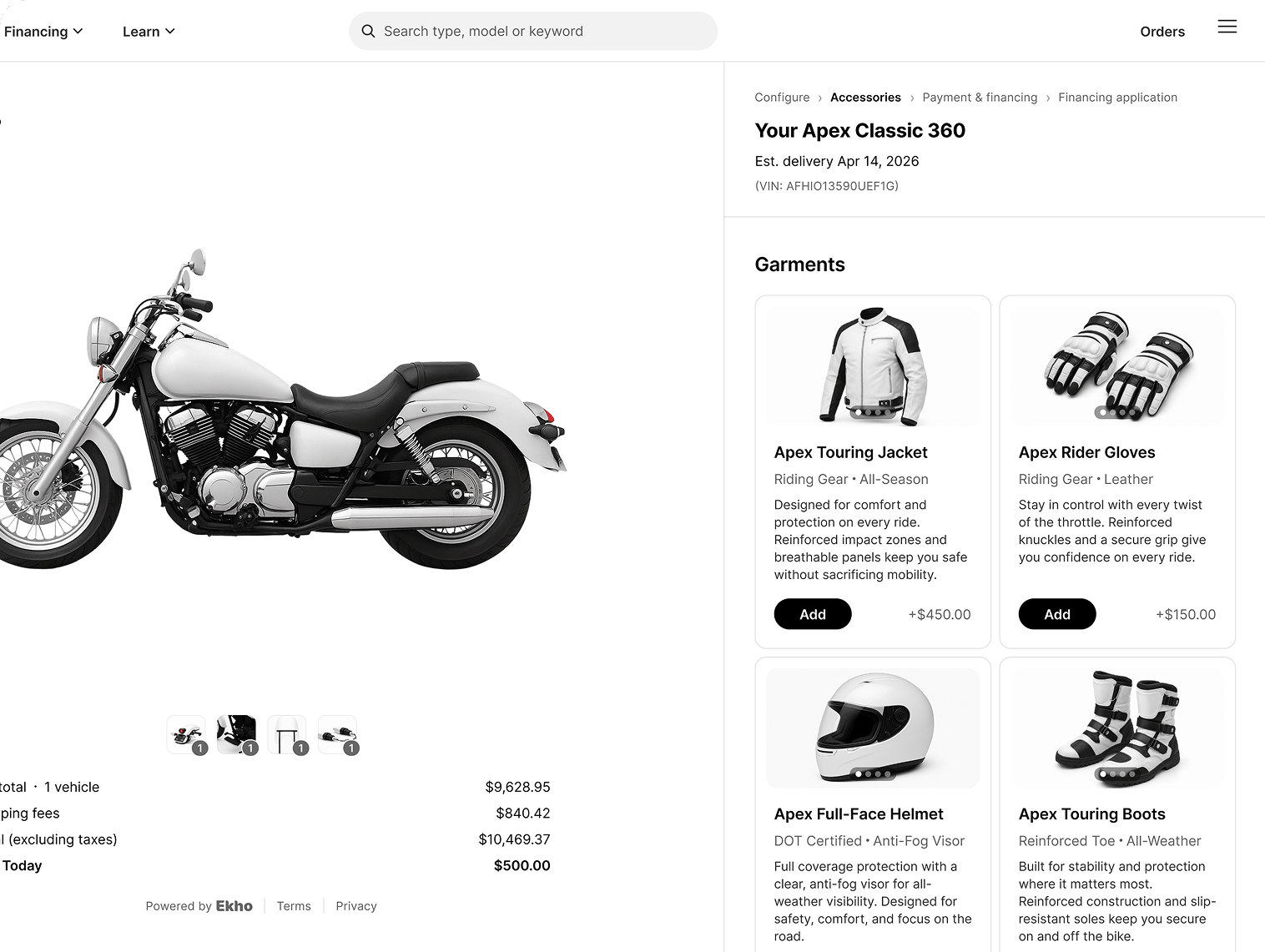
Accessories and gear are added in the flow, not after the sale.
2. Paying
They choose how to pay. Options depend on what you have enabled: financing, card, bank transfer, cryptocurrency, or buying in person at your store. Fulfillment is chosen here too: shipping to their address or pickup from you.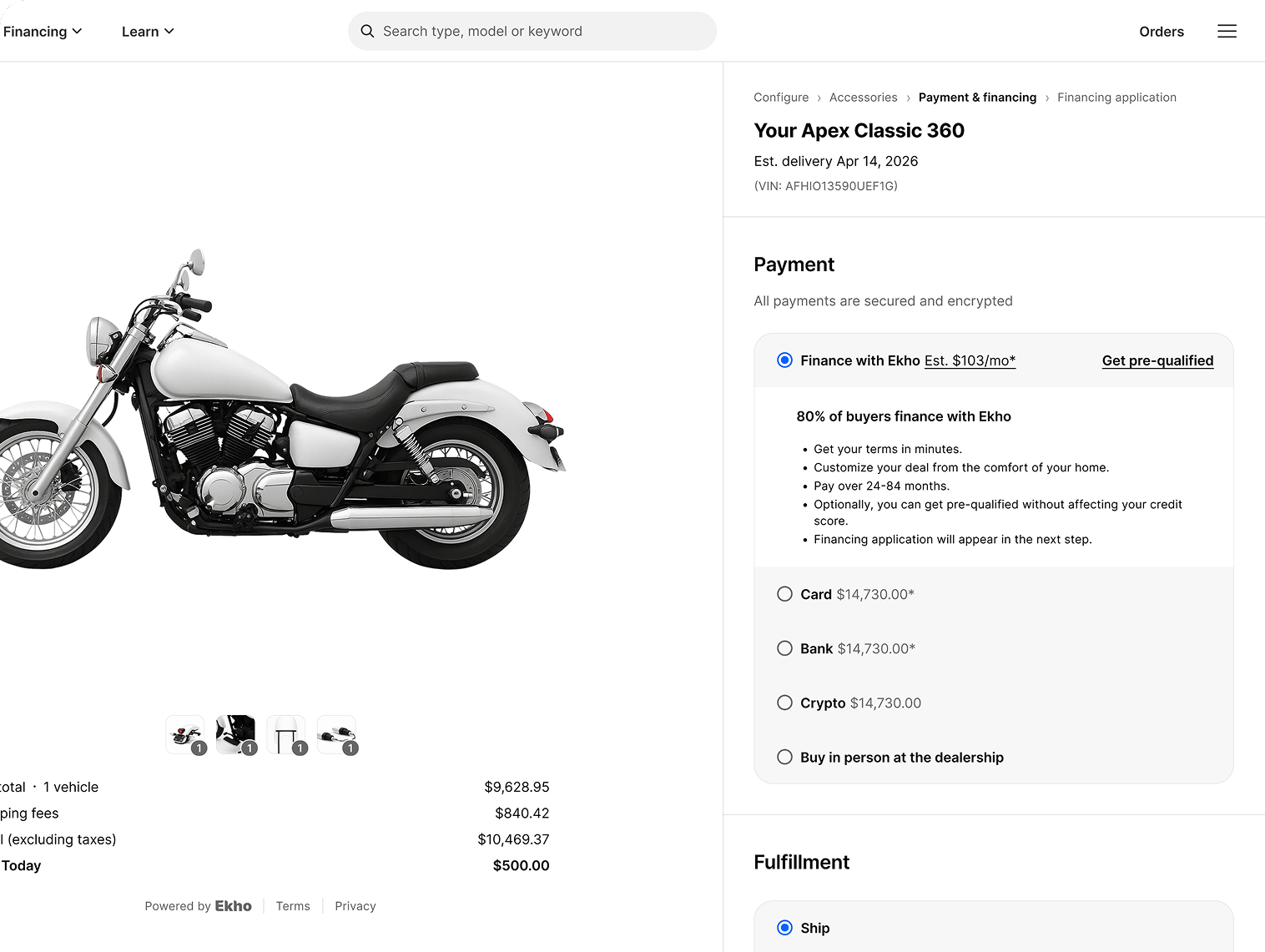
Payment and fulfillment in one step, with the financing estimate shown up front.
3. Financing
If they finance, they complete the application in the flow: term length, down payment, and personal details. Multiple lenders are approached and real offers come back.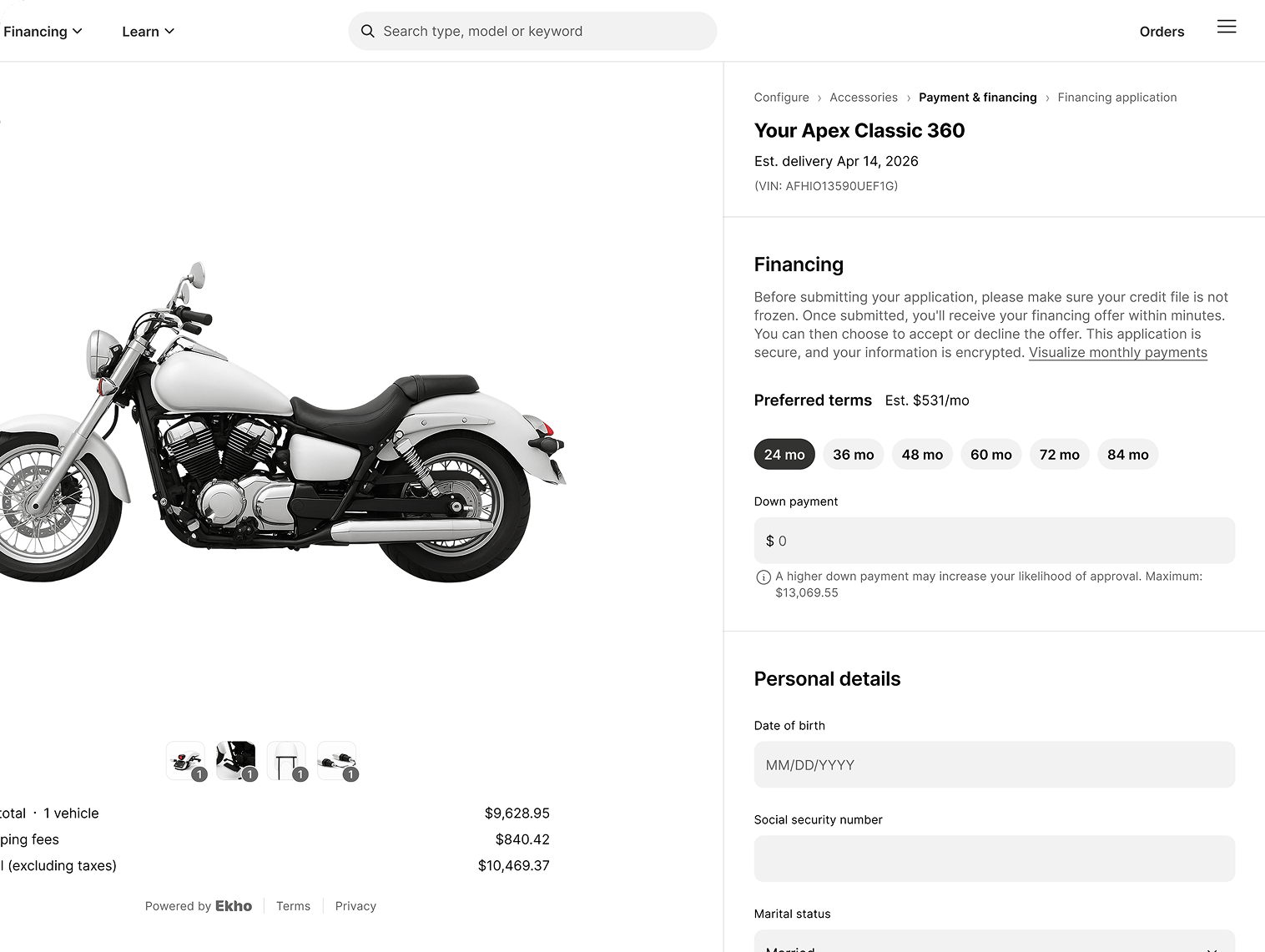
Terms and down payment are chosen before the application is submitted.
4. Protection
They choose a protection package, with a clear explanation of what each covers and what declining means.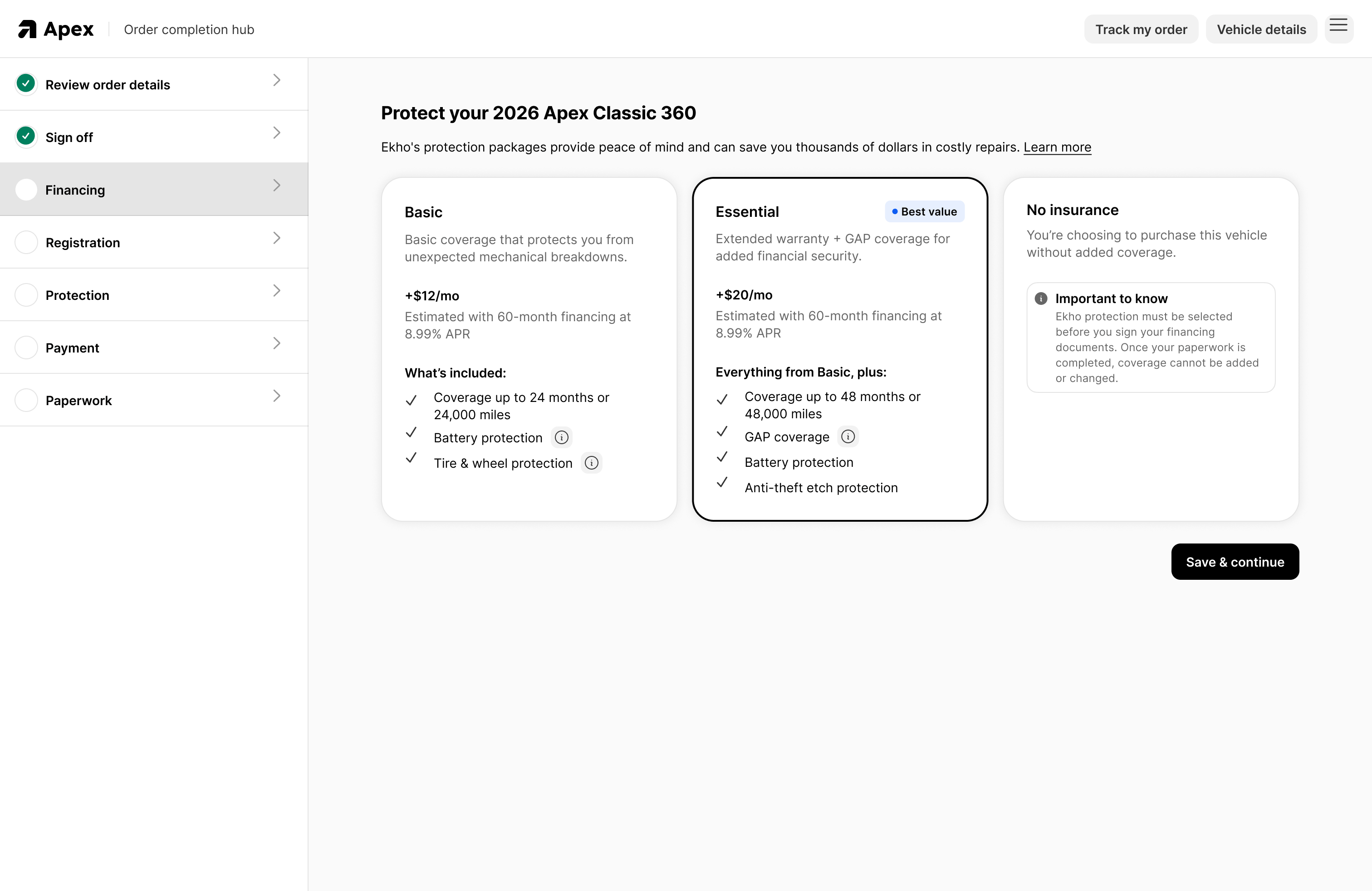
Packages are presented plainly, including the option to decline.
5. Titling and registration
They confirm the details needed to register the vehicle: personal details, military status, and their registration and mailing addresses.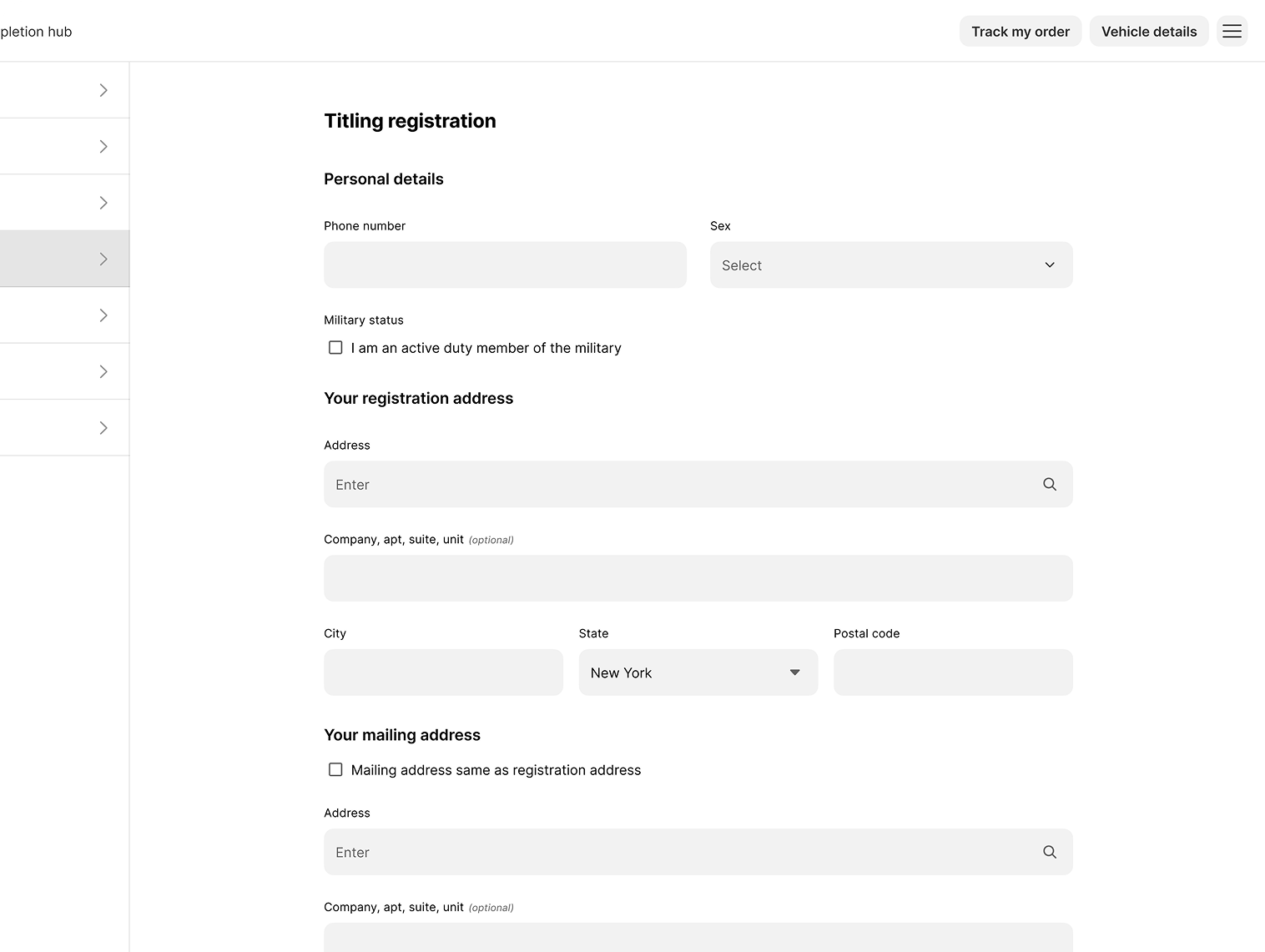
Ekho asks only for what that buyer's state actually requires.
6. Tracking delivery
Once the order is placed, the buyer follows it themselves: a map, a delivery timeline, the carrier, an ETA, and a tracking number.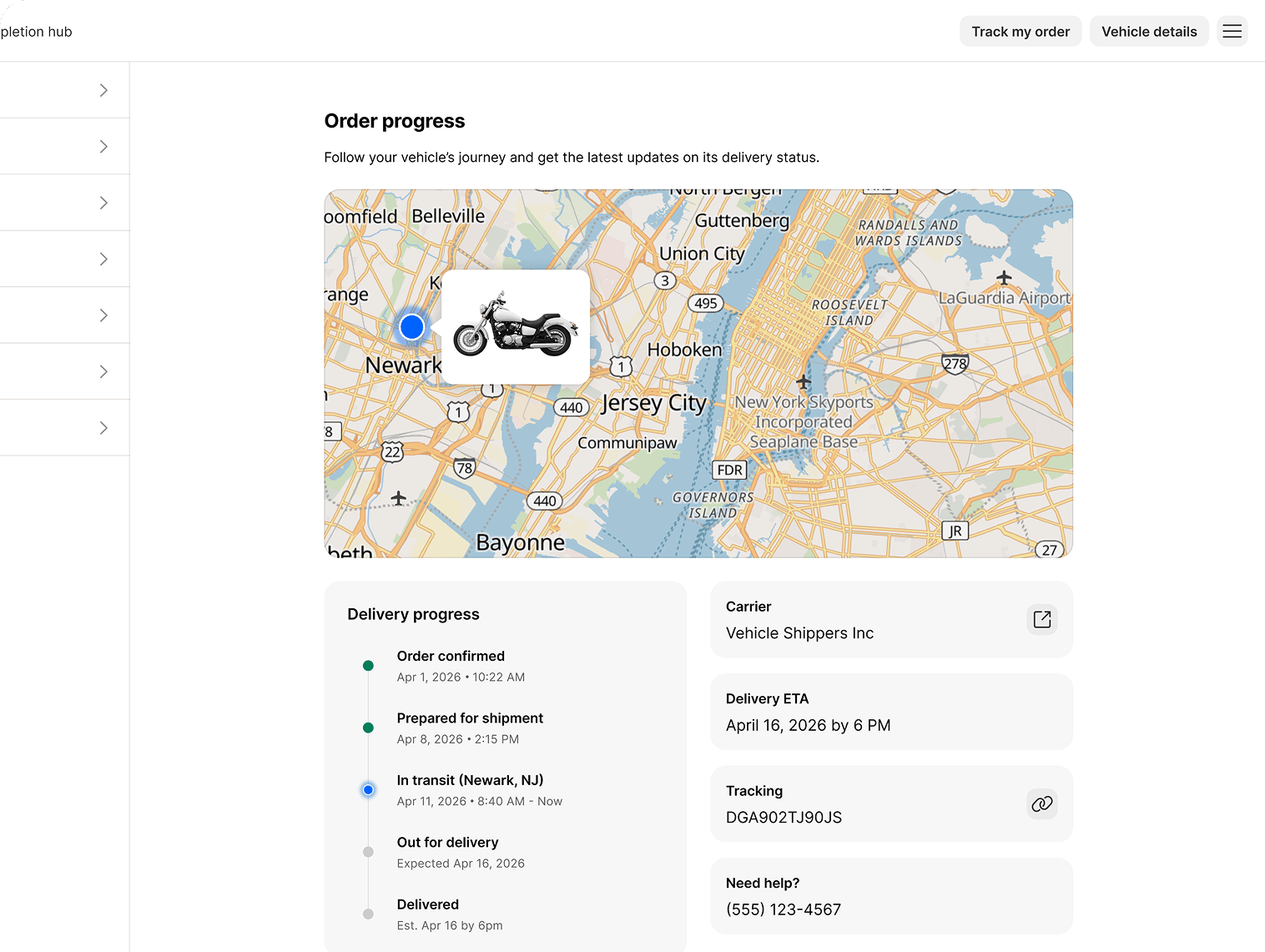
Buyers stop calling for status because they can see it.
Why this reduces your workload
Every screen above is a conversation your team is not having. The buyer verifies their own identity, submits their own stipulations, picks their own protection, confirms their own registration details, and checks their own delivery status.Buyer documentation
The same flow, written for buyers. Useful to send when someone has questions.