

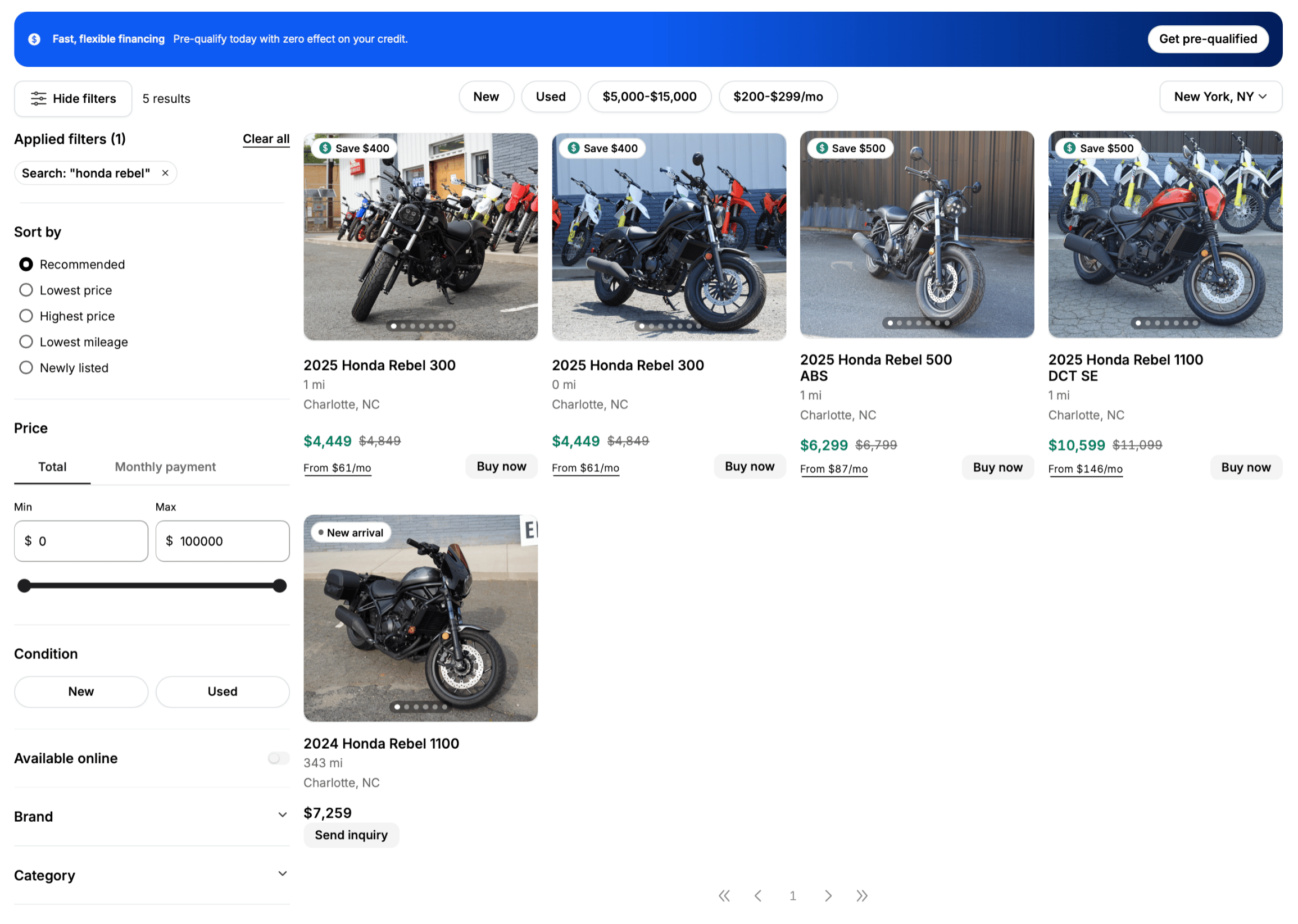
Filters on the left, results in the middle, and a buy option on every vehicle.
Search
Type what you are after. You do not need the exact model name:- “ninja” finds Kawasaki Ninja models
- “beginner sport bike” finds entry-level sport models
- “something for commuting under $8k” works too
Filter
Narrow things down by:Sort
Recommended, lowest price, highest price, lowest mileage, or newest listed.What is on a listing
Each result shows a photo, the year, make, and model, the price, the mileage for used vehicles, the location and how far away it is, and any savings available. A Buy now button means you can purchase that vehicle online today. Vehicles without one can still be enquired about.Not seeing what you want
- Clear some filters. It is easy to narrow down to nothing.
- Widen the distance. Delivery means the dealer does not have to be nearby.
- Ask the chat assistant, if the site has one. Describe what you want and it will suggest options from current stock.
Look closer at a vehicle
What is on a vehicle’s page.