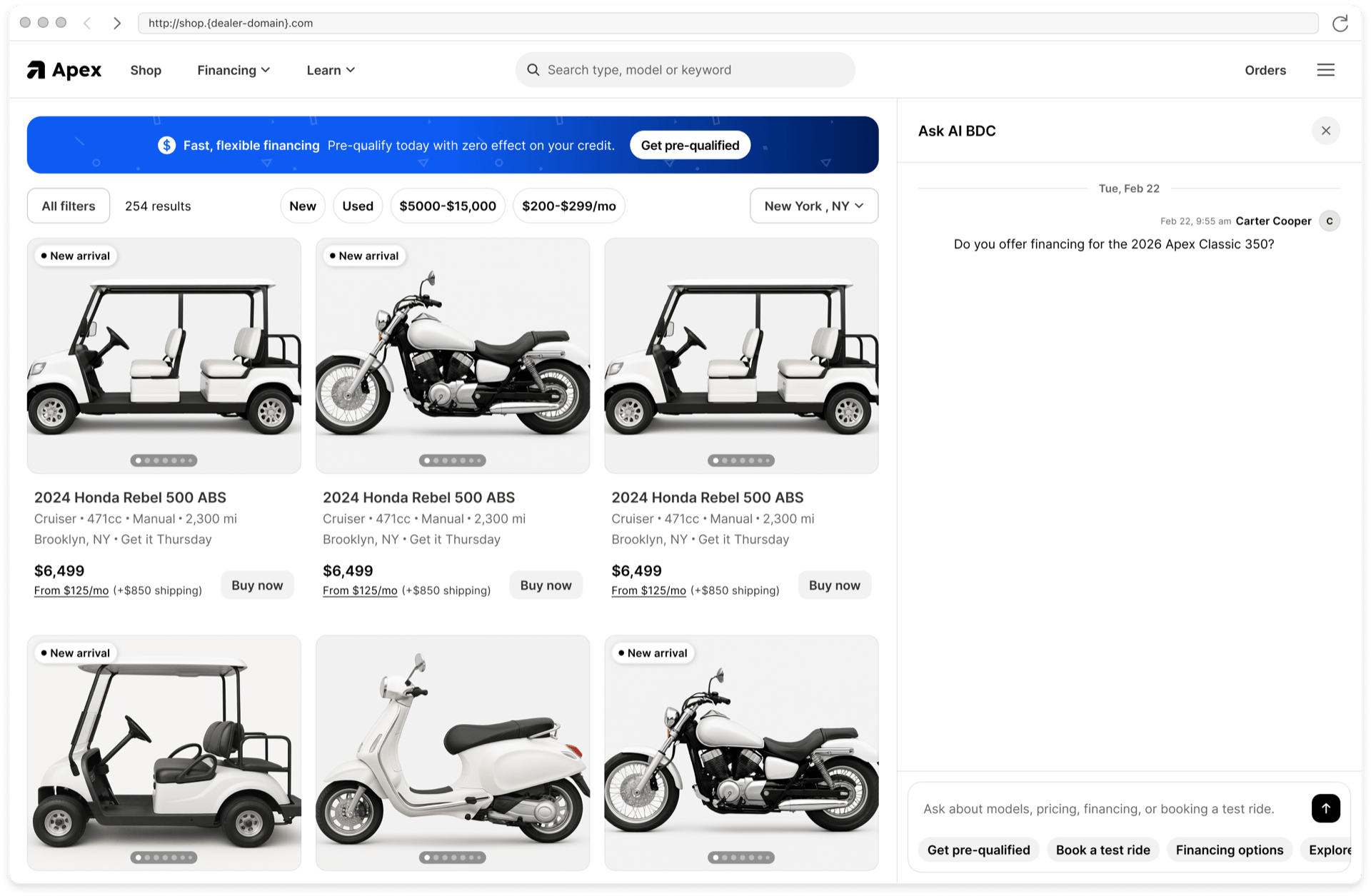
Website chat is the richer of the two channels. Turn it on per domain under Product settings → Sales Agent → Chat widget → Setup.

The agent answers on your search results page without the buyer leaving it.

What only website chat does

Vehicle cards

Search results come back as cards, not links. Each card carries a photo and title that both link to the listing, the buyer-facing price, category, condition, distance from the buyer, and the dealer’s city with a map pin. Three actions sit on each card: View details, Open listing, and Tell me more, which asks the agent to expand on that specific unit without the buyer retyping anything. Several results render as a swipeable carousel. Distance and city only show when the agent knows both the buyer’s ZIP and your physical address. If either is missing, that row is hidden rather than guessed.

It follows the buyer to the listing

Click a card and the conversation comes along. The widget adds a convId parameter to the listing URL, restores the thread on the destination page, and reopens the chat where the buyer left off. The parameter is stripped afterwards so it never shows up in a bookmarked or shared link. This works on your own domain, and also across domains, so a buyer following a link from a brand site to your site keeps their conversation.

It reads the page

The agent knows what page the buyer is on and can use its content. “What’s the price on this one?” and “does it come in black?” work without the buyer naming the model. As the buyer navigates, the agent follows on the next message. Only the main content is read. Navigation, headers, footers, hidden elements, and the widget itself are skipped. Only the page URL and title are stored with the conversation; the page text is used for that turn and not kept.

Buyers can rate replies

Each agent message offers Copy, thumbs up, and thumbs down, with an optional comment box. Tapping the same thumb again clears it. Use the signal to work out which knowledge documents you are missing.

Shortcuts and languages

Suggestions, quick action pills, skill pills, and the all-tools panel give buyers something to click. The language selector lets them switch languages mid-thread.

Escalation behaves differently here

On website chat the agent does not know the buyer’s phone number, so before handing off it collects name, phone number, and consent through a short form. Then it escalates and emails your team. See taking over a conversation.

Pre-qualification

Runs inside the chat window. Once the buyer finishes, the vehicle they were last shown is attached to the lead as the vehicle of interest, so the lead lands with context already filled in. See pre-qualification.